
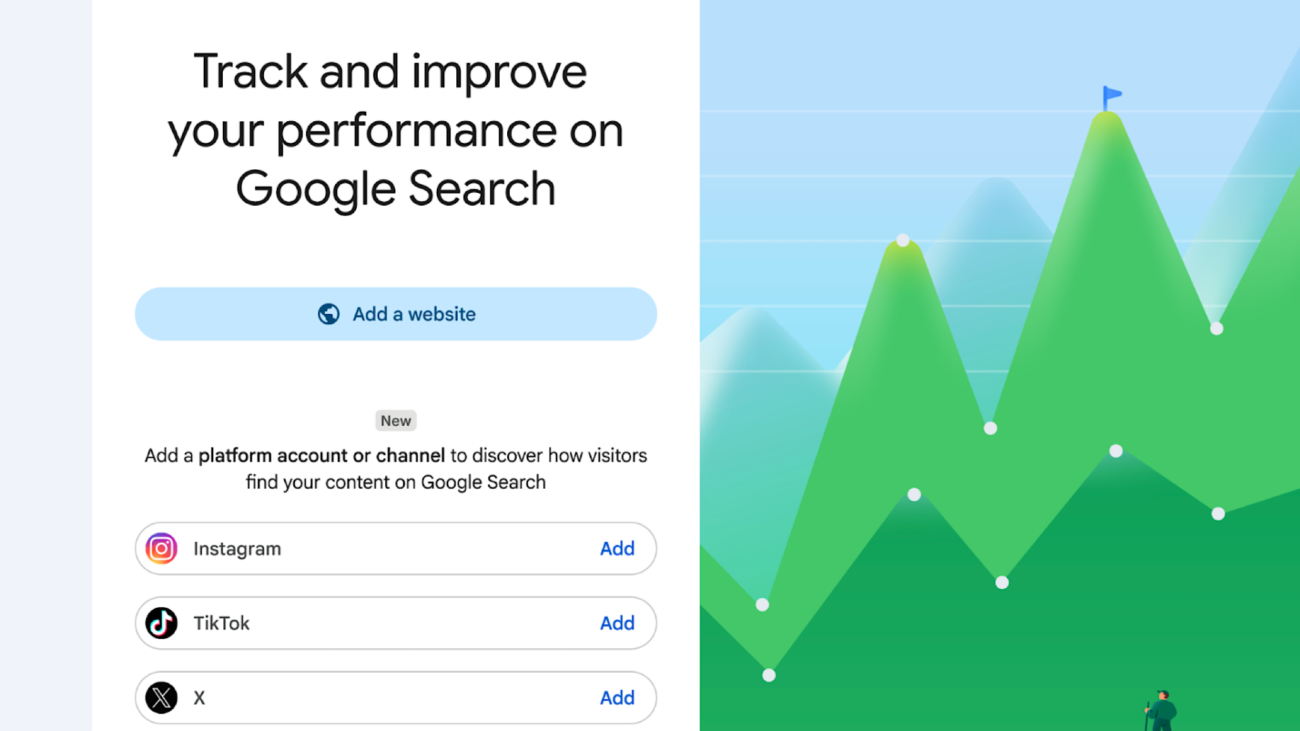
TL;DR – Google is adding a Search Console property type that lets creators and publishers see how their social media posts perform on Search and Discover. The reports work for accounts without their own website, extending Search Console data beyond verified site owners. Platform properties are rolling out gradually over the coming weeks, starting with four platforms.
Google Expands Search Console Beyond Websites
Google has taken another significant step toward supporting creators and brands by introducing Social Platform Properties in Google Search Console. The new feature allows users to measure how their social media and video content performs across Google Search and Discover, even if they don’t own a website.
This update marks a major shift in how Google Search Console serves creators. Traditionally, the platform has been designed for website owners to monitor search performance, indexing, and technical SEO. With Platform Properties, Google is extending these capabilities to social-first creators and businesses that publish content on platforms like Instagram, TikTok, X (formerly Twitter), and YouTube.
What Are Platform Properties?
Platform Properties are a new property type inside Google Search Console that lets creators connect their supported social media accounts directly to the platform.
Once verified, users can access detailed analytics showing how their content appears in Google Search and Discover. Instead of relying solely on native platform analytics, creators can now understand how Google users discover their posts through search queries.
The feature currently supports:
- TikTok
- X (formerly Twitter)
- YouTube
Google has confirmed that the rollout is gradual, meaning some accounts may receive access before others.
Key Reports Available
Platform Properties include several familiar Search Console reports, adapted specifically for social and video content.
1. Performance Report
This report provides valuable metrics such as:
- Total clicks
- Impressions
- Click-through rate (CTR)
- Search queries driving traffic
- Top-performing posts
Users can filter and export this data for deeper analysis, similar to traditional website properties.
2. Insights Report
The Insights section offers a simplified overview of recent performance, including:
- Traffic trends
- Best-performing posts
- Audience discovery patterns
This report helps creators quickly identify what’s working without diving into detailed analytics.
3. Achievements
Google also introduces achievement milestones that recognize performance improvements, such as reaching new click thresholds over a 28-day period.
These milestones encourage creators to track long-term growth from Google Search.
Why This Update Matters
The rise of short-form video and social-first publishing has changed how users consume content online.
Many creators now build their entire audience on social platforms without maintaining a dedicated website. Until now, these creators had limited visibility into how Google Search contributed to their traffic.
Platform Properties bridge that gap by providing direct insights into search visibility, helping creators:
- Understand which search terms drive discovery.
- Measure Google’s contribution to social traffic.
- Optimize future content based on search demand.
- Track performance across multiple platforms from one dashboard.
This makes Search Console useful for a much broader audience than traditional SEO professionals.
What Platform Properties Don’t Measure
It’s important to understand the scope of these reports.
Platform Properties only measure how content performs on Google’s surfaces, including Search and Discover. They do not replace the analytics available within Instagram, TikTok, YouTube, or X.
For example:
- TikTok video views inside the app won’t appear in Search Console.
- Instagram likes, comments, and shares remain available only through Instagram Insights.
- YouTube watch time is still measured within YouTube Studio.
Instead, Google reports how often your content appears in Google Search, how many users click it, and which search queries generated those visits.
How to Set Up Platform Properties
Adding a Platform Property is straightforward:
- Open Google Search Console.
- Click Add Property.
- Select one of the supported platforms.
- Complete the verification process.
- Allow Google to begin collecting performance data.
Once connected, reports will gradually populate as Google gathers enough search data.
What This Means for SEO
This update highlights Google’s continued evolution beyond traditional website indexing.
Search is increasingly surfacing videos, creator profiles, short-form content, and social posts directly within search results. As a result, SEO is becoming less about websites alone and more about overall content visibility across multiple platforms.
For marketers and creators, Platform Properties provide a clearer understanding of how social content contributes to organic discovery, enabling better content planning and optimization.
Businesses that already combine website SEO with social media marketing can now analyze both ecosystems more effectively, leading to more informed marketing decisions.
Final Thoughts
Google’s introduction of Platform Properties is an important development for creators, influencers, publishers, and digital marketers. By extending Search Console to include social media accounts, Google acknowledges the growing importance of platform-based content in modern search experiences.
As the feature rolls out globally, creators will gain access to actionable insights that were previously unavailable, helping them optimize content for both social engagement and Google Search visibility.
For brands investing heavily in video and social content, this new reporting capability offers another valuable layer of performance data that can strengthen overall digital marketing strategies.